Ask your AI assistant for parts, straight from 4D Controls stock
Connect Claude, ChatGPT, Gemini or Grok to our live stock list. Ask in plain English for the part you have, or for something that does the same job, and get back what we have on the shelf, with price, dimensions and a link to buy.
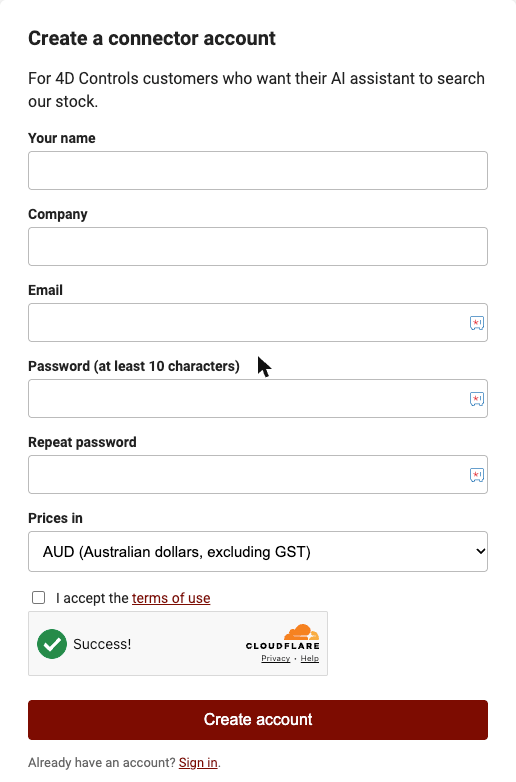
Create your free 4D Controls connector account
It takes a minute: your name, company, email, a password, your country and your currency. We email you a link to confirm your address, then the account is ready.
Create my account I already have one
You don't need a key or any technical setup for Claude, ChatGPT, Gemini or Grok. When your AI app asks you to sign in to 4D Controls, use this email and password.
Add 4D Controls to your AI app
Every app asks for the same address. Copy it now:
https://ai.4dcontrols.com.au/mcpWhich AI do you use?
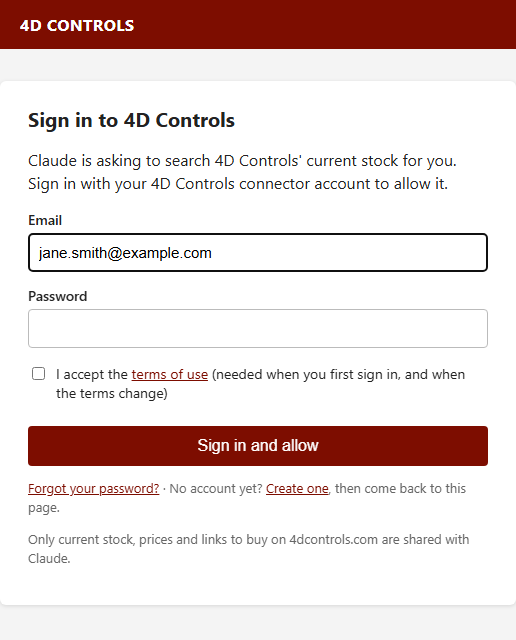
- Open 4D Controls in Claude's directory (or in Claude go to Customize, then Connectors, then Browse connectors, and search 4D Controls). Click Connect. Claude shows a short note that this is a Community connector; that's expected.
- A 4D Controls sign-in window opens. Sign in with the email and password from step 1 and approve access.
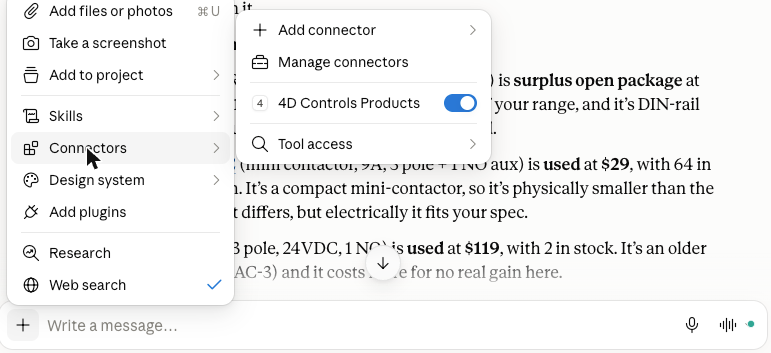
- In a new chat, click + next to the message box, open Connectors and make sure 4D Controls is switched on.
Can't find it in the directory? Add it as a custom connector
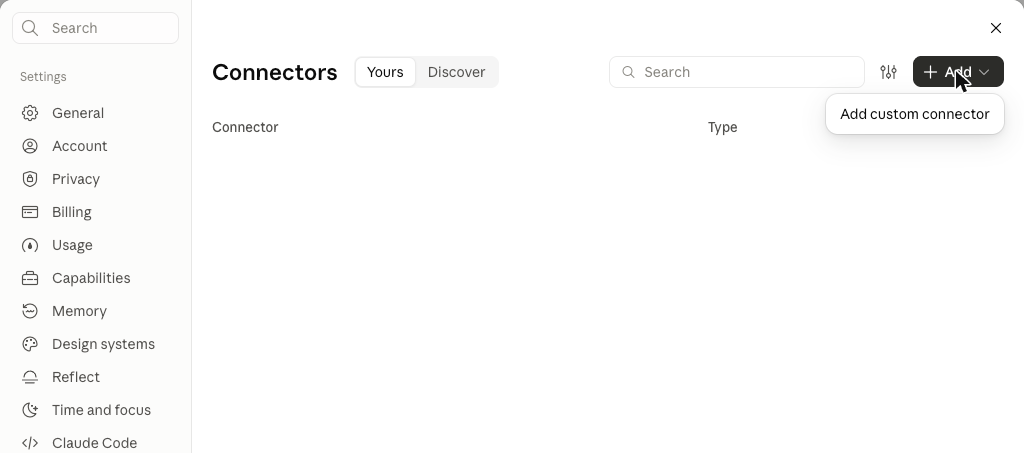
- Go to claude.ai, open Customize (left sidebar) and choose Connectors. Click + Add, then Add custom connector. On the Free plan you can add one custom connector.
- Type 4D Controls as the name, paste https://ai.4dcontrols.com.au/mcp as the server URL, then click Continue.
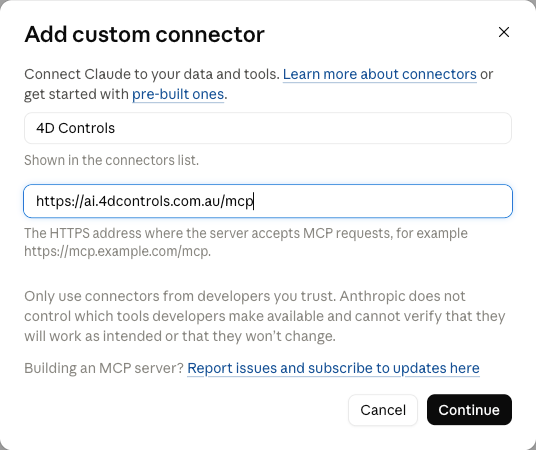
- Then sign in and switch it on as in steps 2 and 3 above.
Claude's own guide: Get started with custom connectors
- Go to chatgpt.com and open Plugins in the left sidebar (or Settings, then Plugins, then Browse directory). Click Add at the top right, then Add custom MCP server.
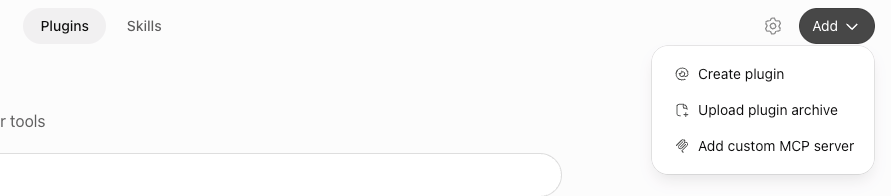
- Fill in the form: Name 4D Controls, Description Search 4D Controls stock, prices and buy links, and paste https://ai.4dcontrols.com.au/mcp under Connection (Server URL). Leave Authentication as OAuth.
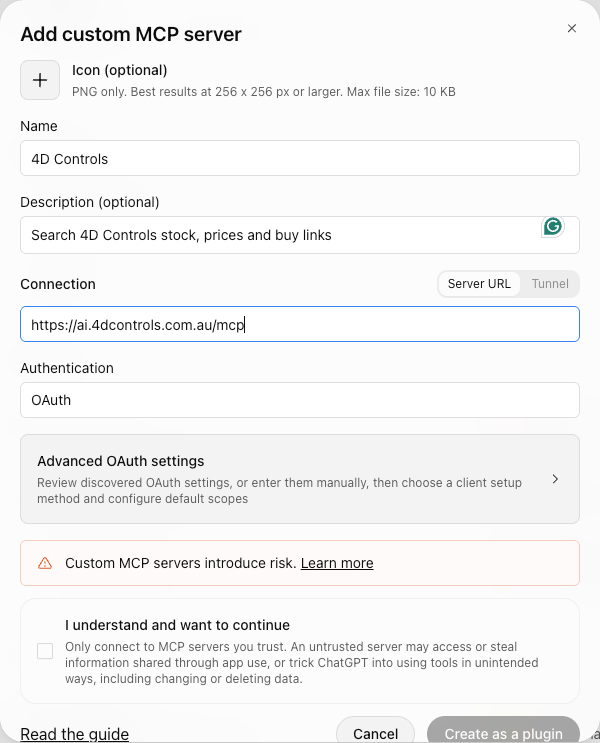
- ChatGPT shows a general warning about custom servers. Tick I understand and want to continue, then click Create as a plugin. The connector only reads our stock list. It can't see your chats, files or other accounts.
- Sign in with your 4D Controls email and password when the 4D Controls sign-in window opens.
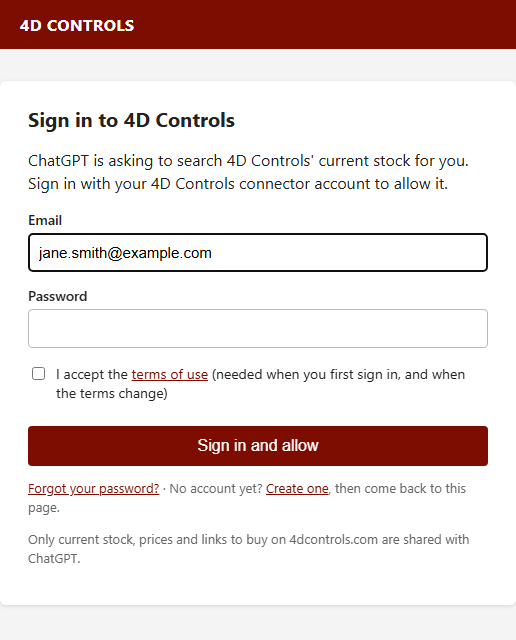
- Done. 4D Controls now appears under Settings, Plugins. In a chat, mention "4D Controls" or pick it from the + menu.
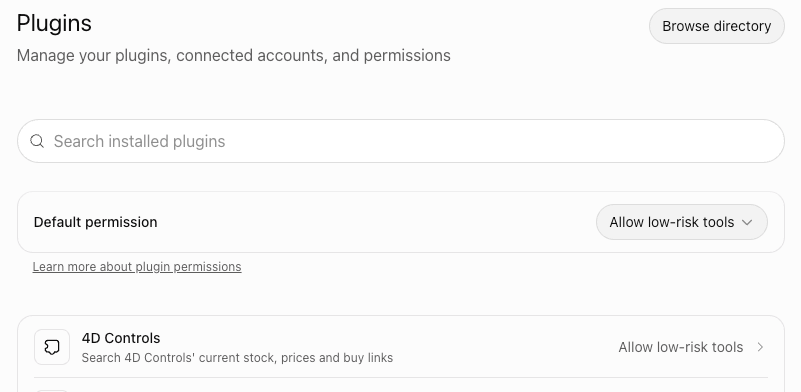
OpenAI's guide: Connect a custom server to ChatGPT
- On a computer, go to gemini.google.com. At the bottom, click Settings, then Connected Apps (if you don't see it, click Personal Intelligence, then Connected Apps).
- Under Custom apps, click Add a custom app and paste https://ai.4dcontrols.com.au/mcp. Click Next.
- Sign in with your 4D Controls email and password when the 4D Controls sign-in window opens, and approve.
- In a chat, type @ and choose 4D Controls, then ask about a part. It also works in the Gemini mobile app once added.
Google's guide: Connect & manage custom apps for Gemini Apps
- Go to grok.com/connectors and sign in.
- Click New Connector, then choose Custom.
- Paste https://ai.4dcontrols.com.au/mcp as the server URL and continue.
- Sign in with your 4D Controls email and password when the 4D Controls sign-in window opens, and approve.
xAI's guide: Grok connectors
Ask for what you need
Describe the part the way you'd describe it to a colleague. If we don't have your exact part number, the AI checks our specs for an equivalent and explains any differences. Start your question with "Using 4D Controls" so the AI knows where to look.
Using 4D Controls: I need a 24VDC power supply, single phase 240VAC input, at least 5A. What have you got in stock?
Using 4D Controls: I need a small 3-pole contactor with a 24VDC coil, around 9 to 12A, with a normally open auxiliary contact. My original is a Telemecanique LC1D09BD but any brand that does the same job is fine.
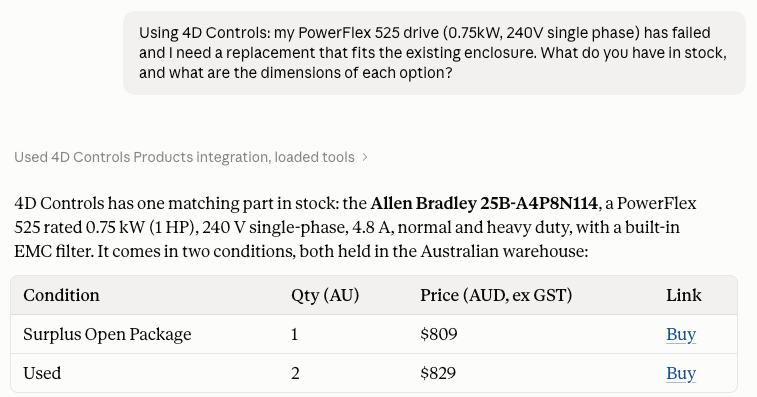
Using 4D Controls: my 0.75kW 240V single-phase drive has failed. What replacement drives do you have, and what are their dimensions? It has to fit the existing enclosure.
Using 4D Controls: do you have a 1756-IB16 in stock? Show me every condition and price.
What an answer looks like
Good to know
- Prices are in the currency you chose at sign-up and exclude GST, VAT, sales tax and import duties. Freight is calculated on our website or by our sales team.
- Stock is refreshed every 15 minutes. The AI tells you when the figures were taken.
- Equivalents: the AI compares the specs we publish. Always check ratings, wiring and dimensions against your application before you buy. Our team is happy to confirm.
- Conditions: the same part can be listed more than once at different prices. That's the condition: Surplus Sealed, Surplus Open, Surplus No Box, Refurbished or Used.
- Privacy: the connector only reads our stock list. It can't see your chats, files or other connected apps. We log the searches made through your account to improve our range.
- Not in the connector: manuals, freight quotes, lead times or parts we don't currently stock. Email us and we'll source them.
Advanced: Claude Code, Cursor and other developer tools
Developer tools that can't show a sign-in window use a personal API key instead. Sign in at your account page and create a key. The page shows the exact command to paste (for example claude mcp add). Keep the key private; you can replace it at any time from the same page.
Stuck? We'll connect it with you
Email sales@4dcontrols.com.au and tell us which AI app you use. We'll walk you through it in a few minutes.